Some students’ complete coursework, receive a mark and credit, and then do not take any additional courses. As a result, they are withdrawn from the school. However, in the batch file, their completed course information is being reported as dropped, with a mark of 0 and 0 credits.
To correct this issue:
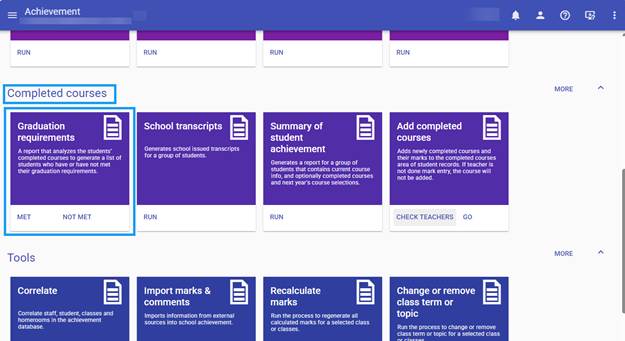
- From the hamburger menu, go to Achievement → Completed Courses → Graduation Requirements.
- Run this process.
- The process will identify withdrawn students who may have completed courses that need to be included in the batch file.
- This will ensure that the completed course information is sent correctly to the Ministry.
Was this article helpful?
That’s Great!
Thank you for your feedback
Sorry! We couldn't be helpful
Thank you for your feedback
Feedback sent
We appreciate your effort and will try to fix the article