Step 1
Add the correct Diploma Requirement to each student.
Step 2
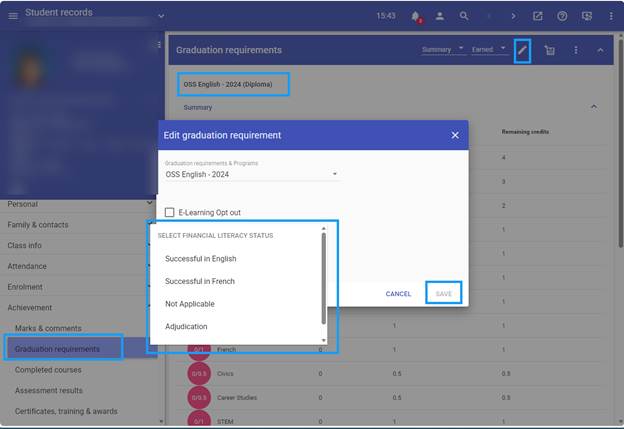
Scroll down to the Other Requirements section. In that area, you will see Financial Literacy Status.
Step 3
To enter the student’s status, select Edit Graduation Requirements. From the drop-down menu, select the appropriate status achieved.
Once you have completed these steps, the student’s Financial Literacy Status will be updated in their record.
Was this article helpful?
That’s Great!
Thank you for your feedback
Sorry! We couldn't be helpful
Thank you for your feedback
Feedback sent
We appreciate your effort and will try to fix the article