Step 1 On your Hamburger Menu – Go to Scheduling next year – Initialize next year – GO
Graduating students – Highest grade, Exit date, Exit description and Destination school if necessary.
Read thought the other items and select what is appropriate for your school.
At the bottom click on INITIALIZE to start this process.
Step 2 When this process is completed you will notice you have two other cards available, click on School Schedule (Next year)
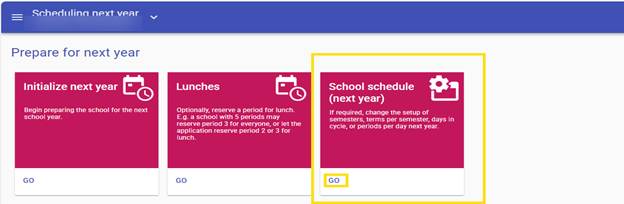
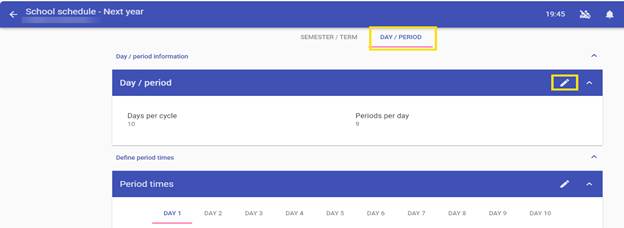
Click on the Day/Period tab in the Schedule – Edit Pencil – Select the number of Days and Periods you wish for this school year – SAVE.
Now you are ready to start to work in Next year in this school year.
Was this article helpful?
That’s Great!
Thank you for your feedback
Sorry! We couldn't be helpful
Thank you for your feedback
Feedback sent
We appreciate your effort and will try to fix the article