Validating T4 & T4A XML File using an XML Parsing Tool with CRA Schema
GOAL: To provide a wholistic overview of how to validate your XML Files for finalized submission to CRA to clear out any Errors.
Helpful Links:
Link to Find & Download CRA Schema (XSDs): File information returns electronically (tax slips and summaries) - Get ready to file - Canada.ca
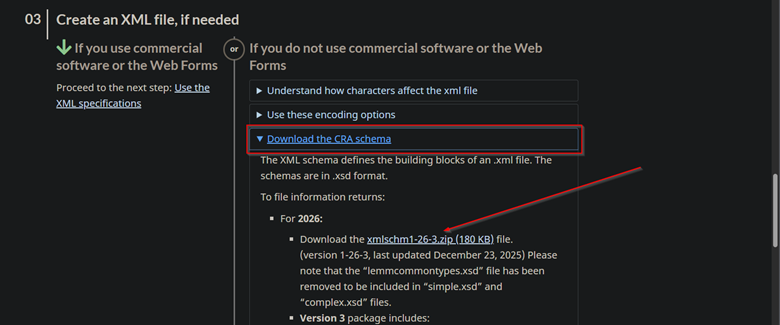
Link to CRA How to File: File information returns electronically (tax slips and summaries) - How to file - Canada.ca
T4 What’s New: T4, Statement of Remuneration Paid - Canada.ca
T4A What’s New: T4A, Statement of Pension, Retirement, Annuity, and Other Income - Canada.ca
T619 What’s New: T619, Electronic Transmittal - Canada.ca
Possible XML Editors to use:
- Altova XMLSpy
- Stylus Studio XML
- Oxygen XML
- Any other preferred XML Editor that supports XSD Schema validation
Open XML Editor >> Load Sample T4.xml File
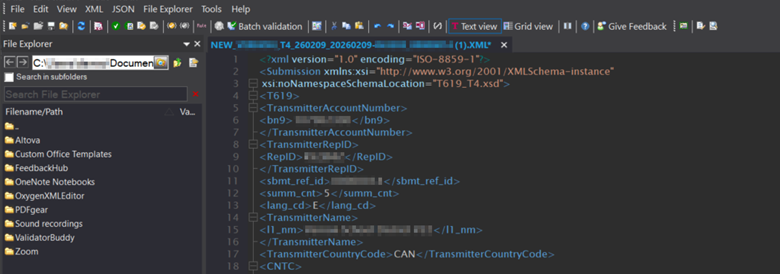
STEP 1: Check Well-Formatted
Choose XML >> Check if Well-Formatted
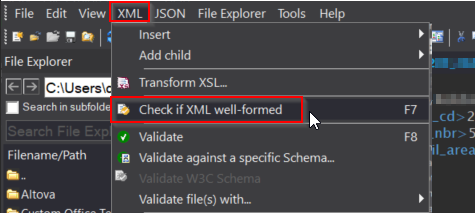
**Ensure the document is well formatted**
Sample Well-Formatted results message

**This confirms the document is well formatted**
STEP 2: Schema Validation
Once the Document is open >> Choose XML >> Validate >> Validate against a specific Schema
Important Note: The actual naming convention and exact sequence of options can vary depending on your XML Editor of choice
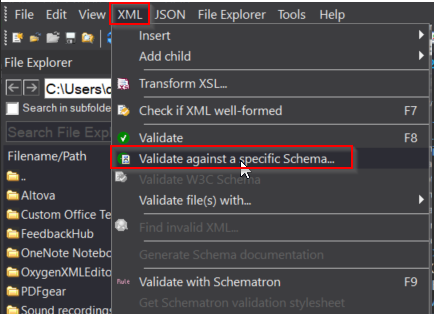
**Choose Validate Against specific Schema**
Choose the Find Folder […] icon to choose the Schema to Validate with
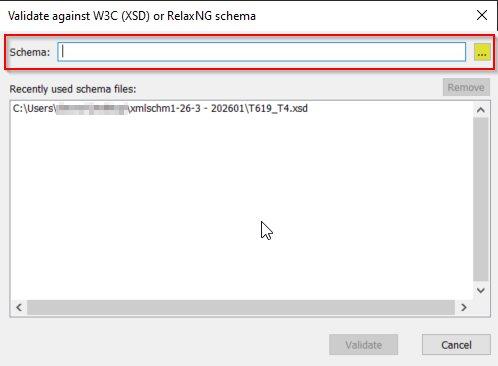
Note: Any previous/historical Schemas chosen will populate in the list below.
Ensure the appropriate XML Schema is chosen > Click Validate.
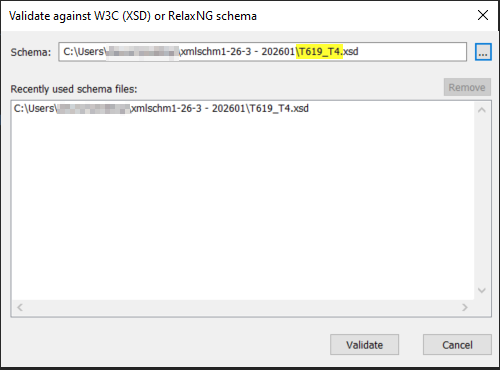
**This Validates our T4/T4A XML against the chosen XSD Schema**
View the RESULTS Tab at the bottom for the results
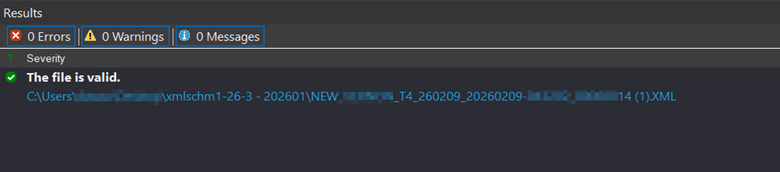
**Here we can see the file is valid**
If there was an error, it would appear similar to what is shown below;
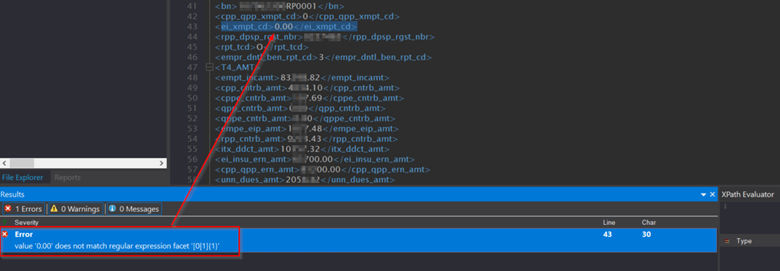
The Error outlines the problem encountered in Validation, and clicking the Error jumps to the specific line in question.
Frequent XML Validation Issues:
ISSUE 1: <ei_xmpt_cd> tag as “Dollar” value [0.00] instead of 0
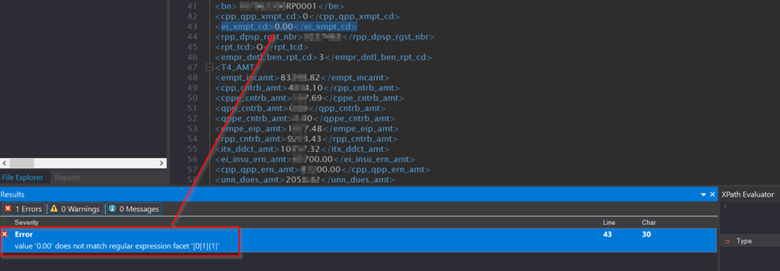
**Edit the value to ‘0’ in the XML >> Save >> Re-Validate**
ISSUE 2: <init><init> tag is NULL
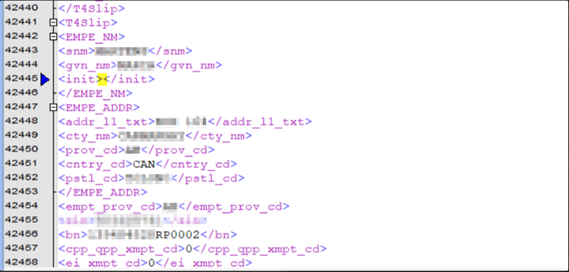
**This value should either Populate (as shown below), or not generate if NULL**
Note: This fix was developed and released into HRP and should no longer be happening. The system will now only generate the <init><init> tag if it populates with a value.
If NULL, the system will not generate the tag.
Sample <init><init> value populating correctly
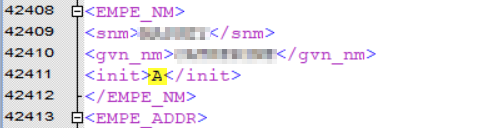
**Correct**
ISSUE 3: Negative CPP/CPP2 <cpp_cntrb_amt> OR <cppe_cntrb_amt>
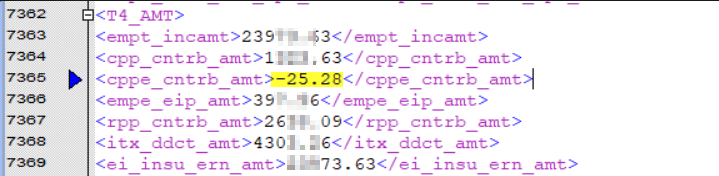
**Ensure any instance of negative CPP/CPP2 is updated and reconciled as this can NOT be negative**
Note: The system has been updated and patched to improve code logic and CPP(2) calculations to substantially reduce the chance of this happening.
ISSUE 4: <cty_nm> exceeds max length 28 Characters
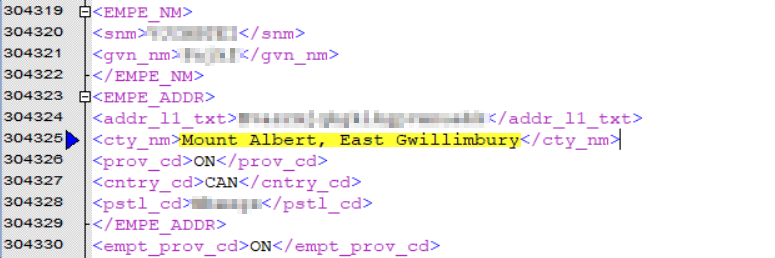
**Reduce City Name = ‘East Gwillimbury’ is sufficient to bringing it within the max length**
ISSUE 5: Invalid <prov_cd>
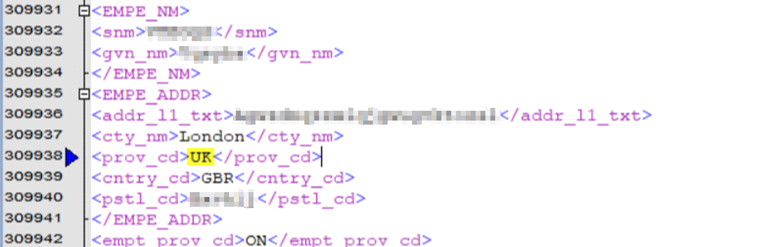
Validation Error = Value ‘UK’ does not match any member type of the union
F1 Help Menu
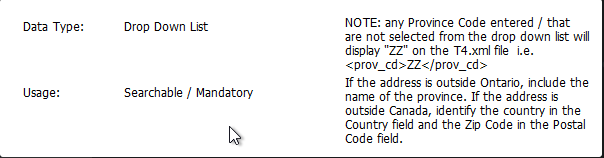
Update <prov_cd> tag = ‘ZZ’ for Out of Country
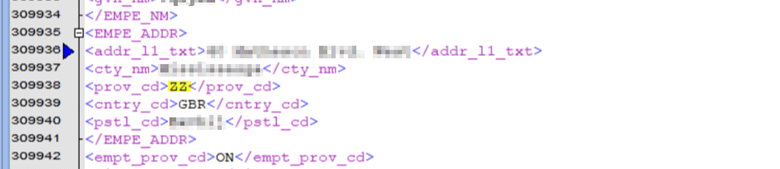
**This will allow File to be Validated Successfully**
ISSUE 6: Invalid [too long] Address for Out of Country record
Note: In this scenario, it is normal to have the Address for Out of Country residents updated to the Address of the Board Office – as shown below.
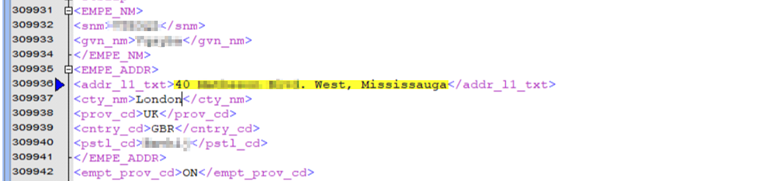
**Move ‘Mississauga’ to <cty_cd> to reduce <addr_11_txt>**
Validation Error: Value ’40 ________ ____. West, Mississauga’ has length > 30 character max limit.
<addr_11_txt> reduced, <cty_nm> updated and <prov_cd> reconciled
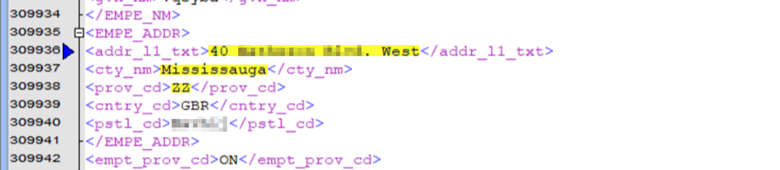
**Validation = Successful**
Additional Troubleshooting Steps:
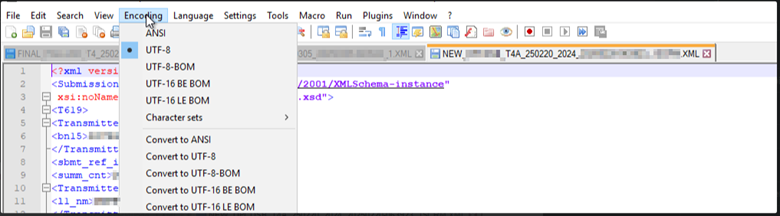
- Ensure the Encoding = UTF-8
Was this article helpful?
That’s Great!
Thank you for your feedback
Sorry! We couldn't be helpful
Thank you for your feedback
Feedback sent
We appreciate your effort and will try to fix the article